Client profile
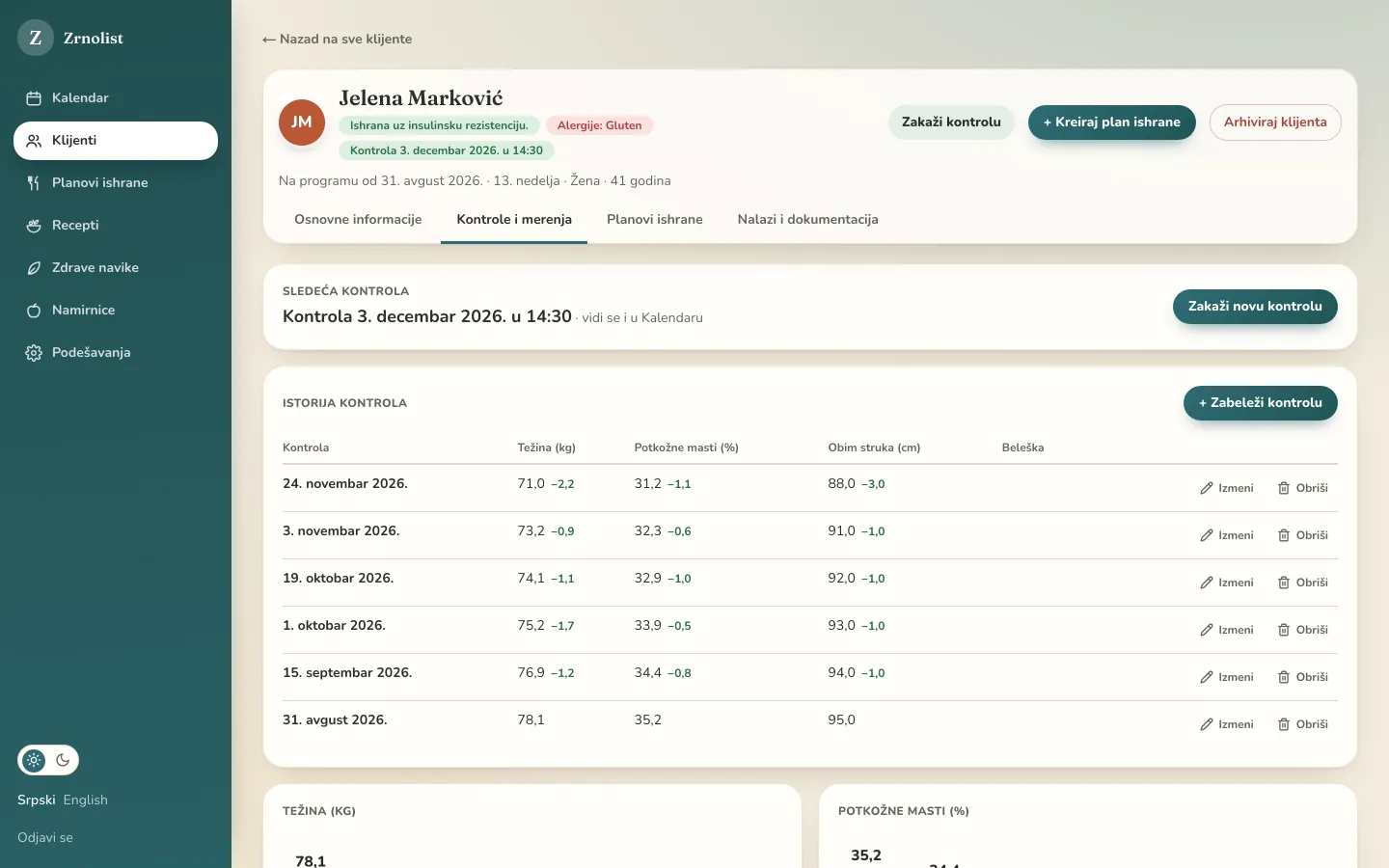
Goal, allergies, check-ins with measurements, meal plans and lab results on one page. Each measurement gets its own chart across all check-ins.
Meal plans, clients, recipes and a calendar in one place, and an app where clients see their plan.
You build the meal plan in a spreadsheet, export it to PDF and send it to each client separately.
Clients zoom into the PDF on their phone, struggle to share it with their household and write the shopping list themselves.
You find out whether a client stuck to the plan only at the check-in.
Appointments are on your phone, measurements in a notebook, lab results in your email.
Goal, allergies, check-ins with measurements, meal plans and lab results on one page. Each measurement gets its own chart across all check-ins.
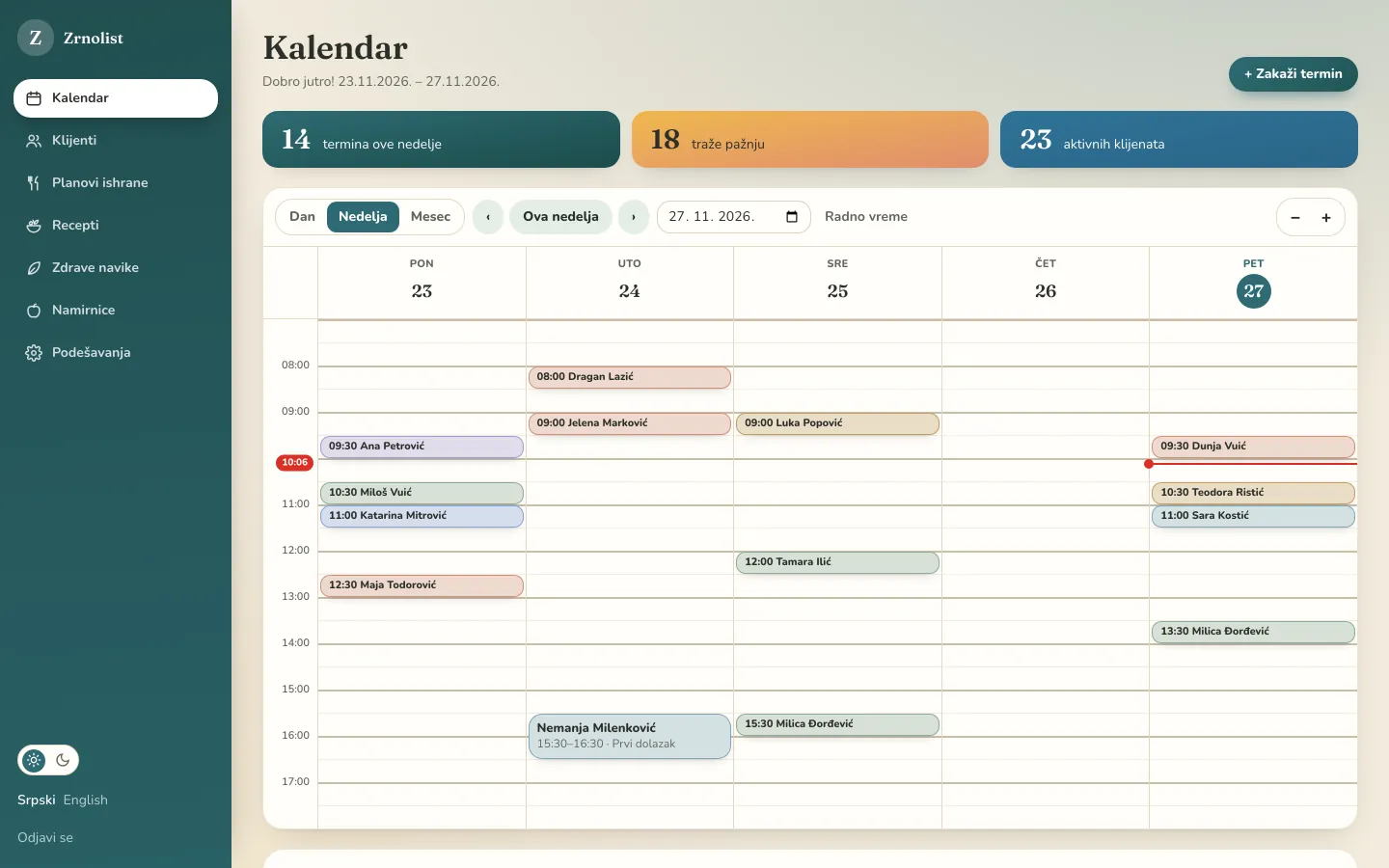
Shows only the days and hours you work. First visits and check-ins are different appointment types, so you see at a glance how many new clients came that week.
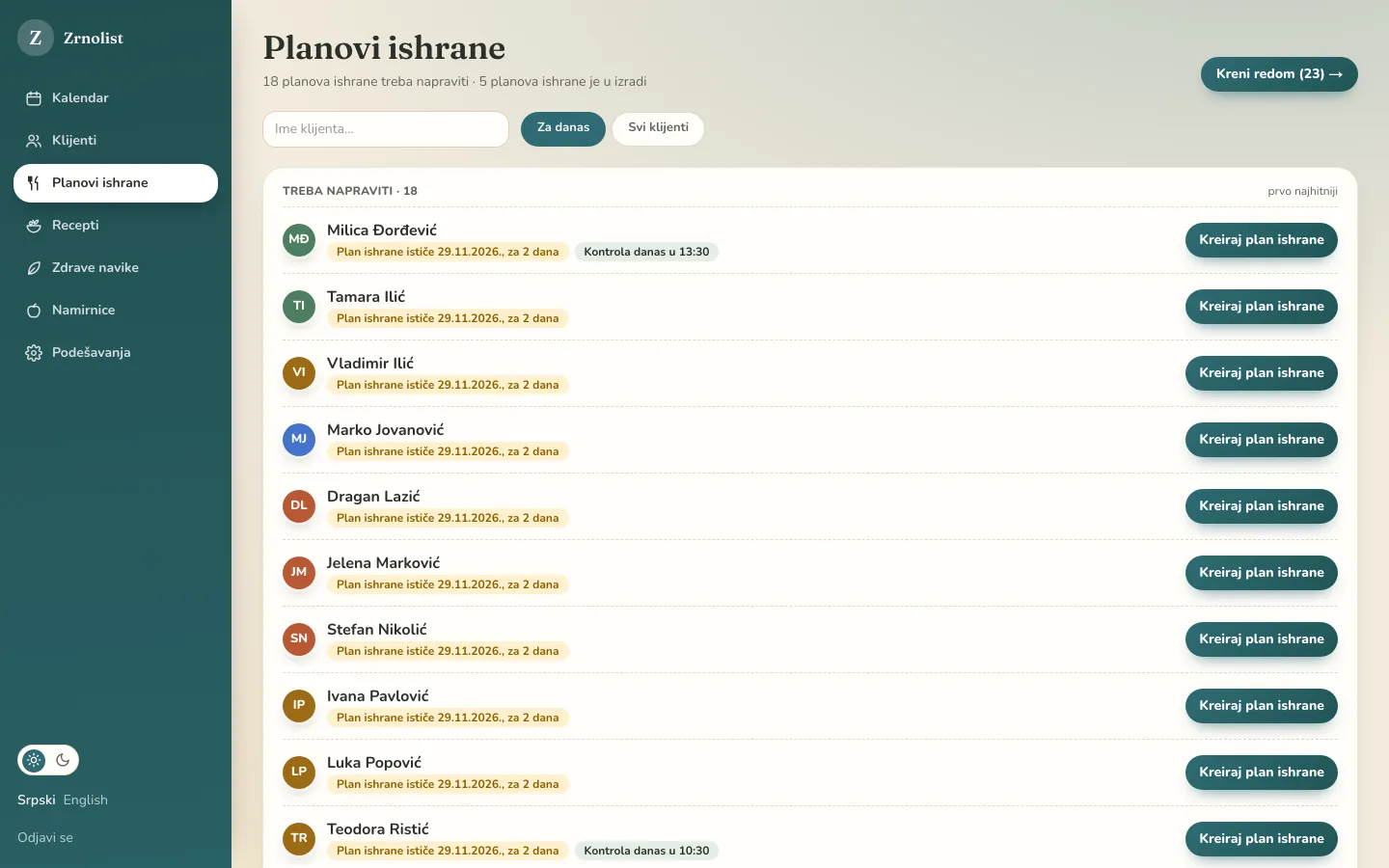
Every morning you see whose meal plan is running out and who needs the next one.
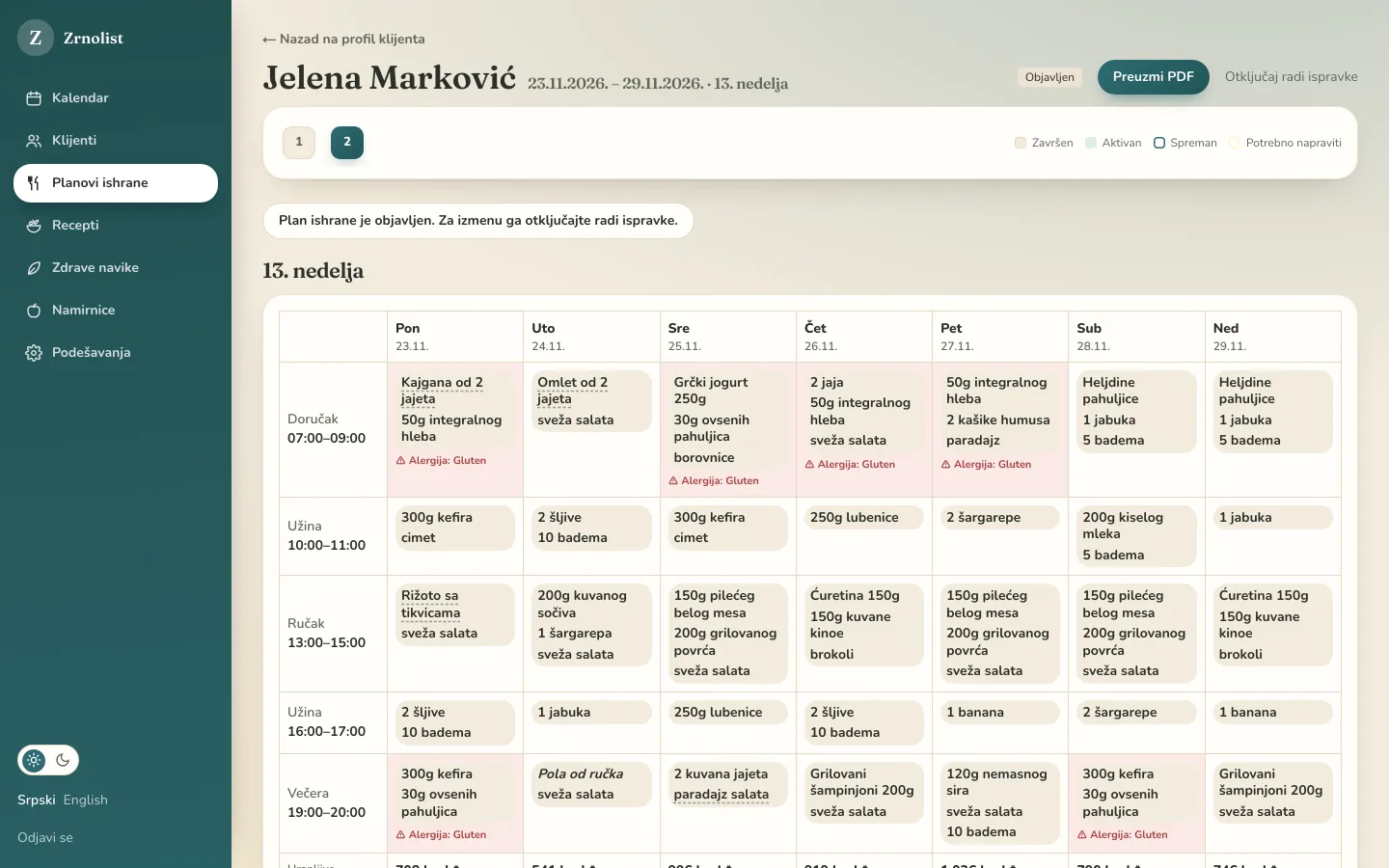
Type “rolled oats 60 g + 1 banana” and NutriByte recognizes both foods and amounts. Under each day are its calories, protein, carbs and fat.
A cell is flagged as soon as you add a food the client is allergic to or doesn’t eat.
Enter a recipe once and use it for every client. NutriByte works out the calories per portion and whether the dish is vegan, fasting-friendly or gluten-free.
A couple who eat together share one table, so you don’t write the same lunch twice.
When you publish a plan, the client sees it in the app right away. The first time, they sign in with a code from their profile, with no account or password, and you can revoke their access at any time. The app also works offline.
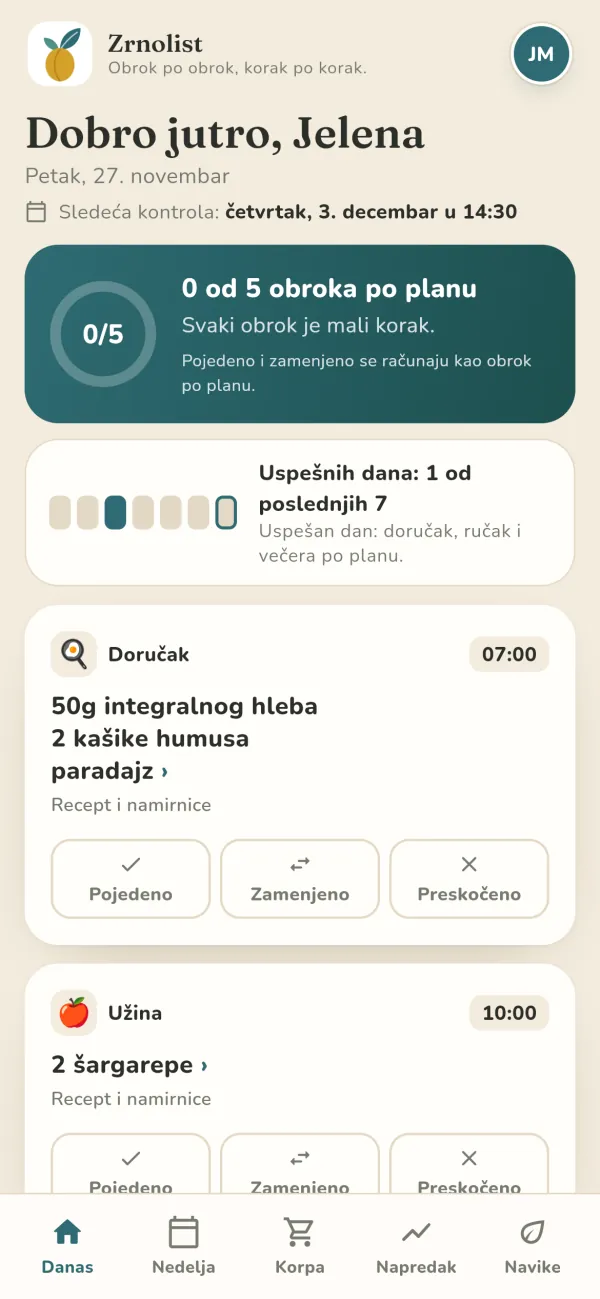
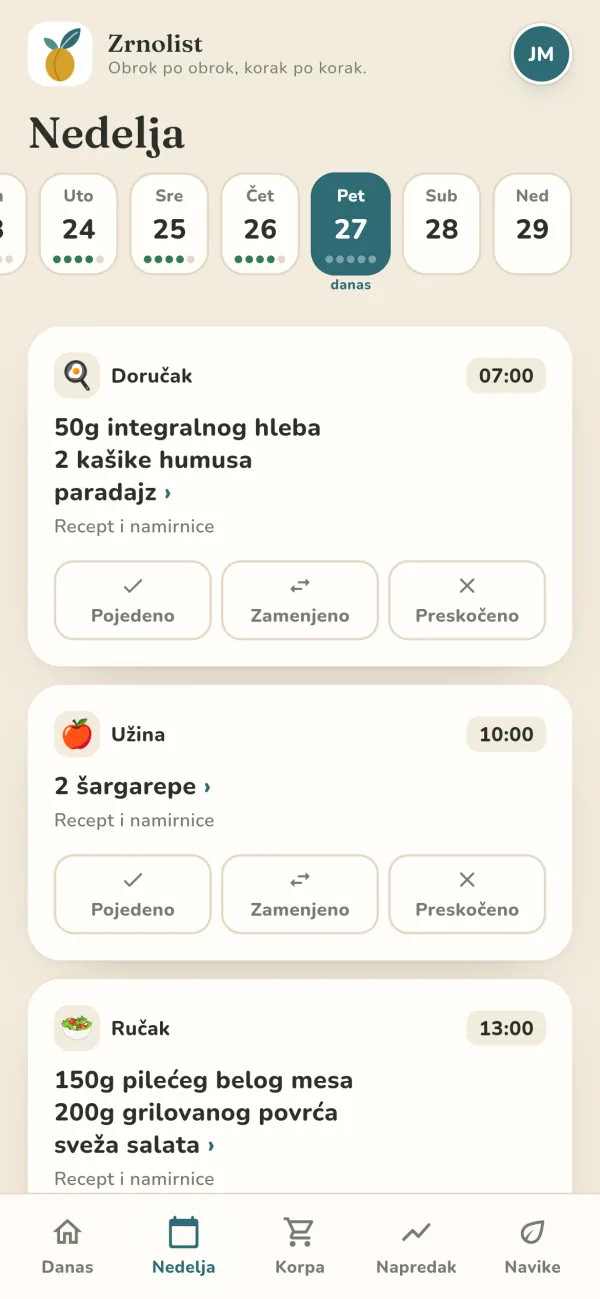
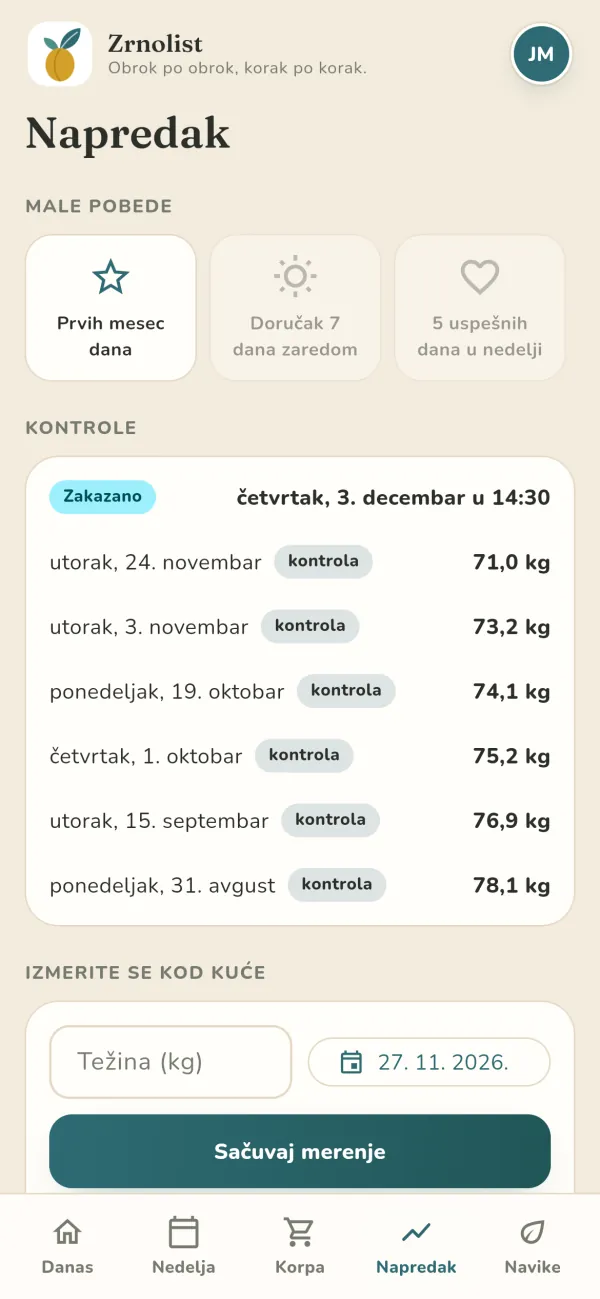
The client downloads the NutriByte app, and once inside sees your practice’s logo, name and colours. The same logo is on the PDF meal plan, for clients who prefer their plan on paper.
Send us an email and we agree on a time to talk.
At your practice or online, about half an hour. We ask how you run your practice and show how that looks in NutriByte.
We bring your recipes and meal plans over from your spreadsheets and check that nothing is missing.
The database and files are on servers in Dublin, Ireland.
Practices are separated in the database itself, so one practice cannot see another practice’s clients.
We open practice accounts, but cannot open client profiles.
Signing in takes a code from an app on your phone as well as the password.
You invite colleagues by email and choose what each of them can see and change. An assistant, for example, books appointments but does not see health data.
We’ll set up a half-hour walkthrough, at your practice or online, on an example practice with about twenty clients.
hello@nutribyte.app